AI Systems
Claude Code vs GitHub Copilot: Which One Should You Actually Use?
 5 min read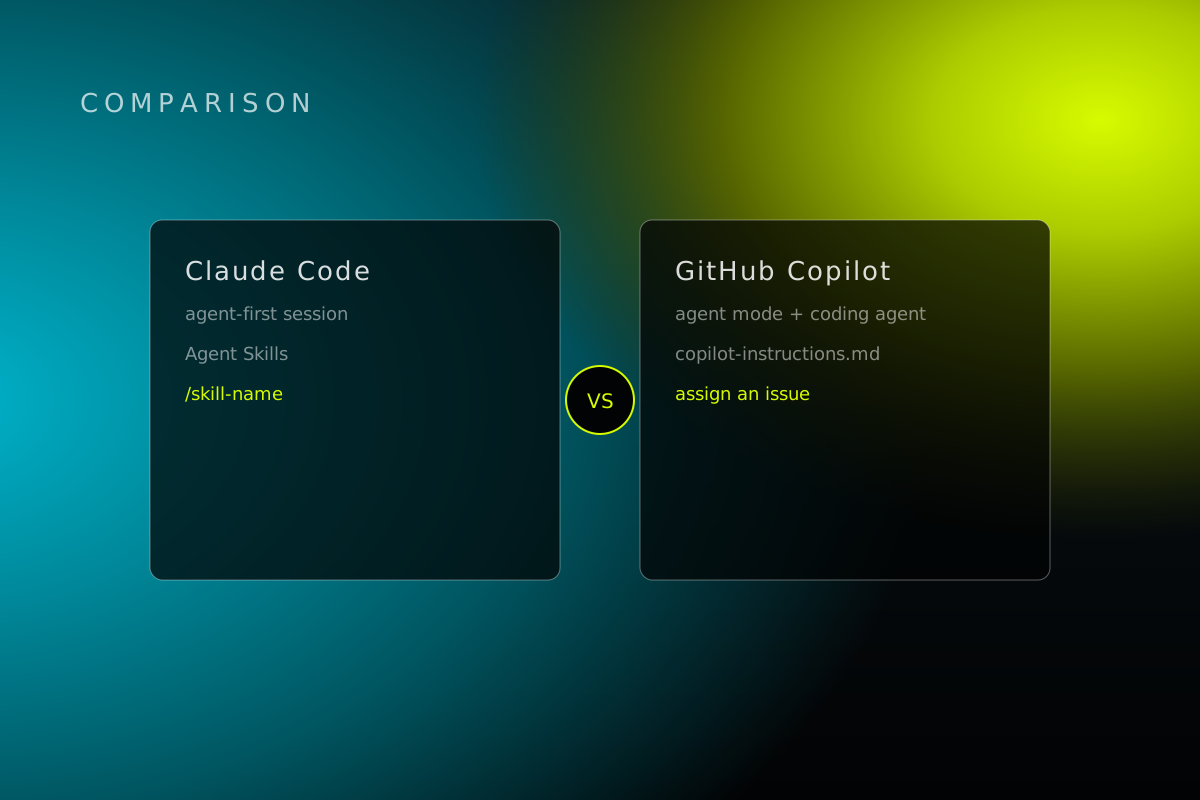
If you still think Copilot just finishes your sentences, you're behind. If you think Claude Code is some terminal toy for hackers, you're behind too.
Both tools now do a lot more than guess your next line. Hand them a real job and they'll read your code, make a plan, and work through it while you do something else. The real question isn't which one is smarter. It's which one fits how you already work.
What each tool actually does
GitHub Copilot started in 2021 as autocomplete. It watched you type and guessed the next line. It still does that, and it's still the best part of it. But it grew up. Now it has a chat window, a mode that edits files while you watch, and a "coding agent" you can hand a whole task to and walk away from.
Claude Code skipped the autocomplete phase entirely. From day one it was built to take a whole job, like "fix this bug" or "add this feature," and work through it start to finish on its own. It lives mostly in your terminal, though it now also runs inside VS Code, JetBrains, and a desktop app.
Think of it this way: Copilot is a fast assistant sitting next to you as you type. Claude Code is a contractor you hand the keys to and check on later.
One engineer put both to a real 30-day test
A backend engineer wrote up 30 days of using Claude Code and Copilot on real work, not demos, before their team spent real money on either one. Two stories from that writeup are worth repeating.
First: a bug in a login flow had sat broken for six weeks. Nobody on the team could find why. Claude Code didn't hand over a fix outright. It acted more like a rubber duck that asks better questions than a rubber duck, and those questions pointed the engineer straight at the real cause. Fixed in 20 minutes, after six weeks of nothing.
Second: a 600-line file needed to be split apart and cleaned up. Before touching a single line, Claude Code laid out a plan: three new files, with a reason for each. Four hours later, the engineer had four clean files, full test coverage, and nothing broken.
Copilot didn't come away empty-handed. On a plain TypeScript cleanup job, it saved about two hours and broke nothing, same as Claude Code's win above. But on the harder debugging task, Copilot's help stayed reactive: good at guessing the next line, weak at stepping back and asking why the bug existed in the first place.
The engineer's own conclusion is the whole article in one sentence: "Copilot makes you faster at what you already know how to do. It doesn't help you figure out what to do when you're genuinely uncertain."
Where each one actually struggles
Neither tool is perfect, and neither company leads with that on its homepage.
Claude Code's most common complaint is running out of room to work. It shares one usage limit across everything you do, and a long session can burn through it fast, especially during busy hours. It also forgets everything between sessions unless you write your own rules down for it to read next time.
Copilot's weak spot is the flip side of its biggest strength: it doesn't ask you anything. It mostly works file by file, so on a bug that spans ten files and three services, it starts running out of runway fast. Developers on GitHub's own community forums have been bluntly asking for a while now whether it's slowly getting worse.
Neither of these is a dealbreaker. They're just the tradeoff each company made for what its tool is built to do well.
What it costs
Prices for both move fast enough that anything printed here will be stale in a few months, so check claude.com/pricing and github.com/features/copilot before you budget off memory. As of now: Copilot has a real free door in, a limited number of completions and chats, no card required. Claude Code doesn't have a free tier, plans start around $20 a month, but what you get once you're through the door goes deeper.
The actual answer
Here's the honest split, no hedging:
If your team already lives inside GitHub, wants a free way to try this out first, and mostly needs help going faster at work you already know how to do, Copilot is the easy on-ramp.
If you regularly need to understand how a big pile of code fits together, or you'd rather hand off a whole task and review the finished result than watch every line get typed, Claude Code is the better bet.
Plenty of teams run both and use each one where it's actually strongest. That's not indecision. That's just using the right tool for the job in front of you.
It's also why we didn't build our own skills library around either one. Baader's agent-neutral skills library works the same way across Claude Code, Cursor, Codex, Copilot, and Gemini, so the process you write once still works no matter which tool wins next quarter's headlines.
Want this run for your business?
Most partners start with The Growth Hour.