Newsletter
OpenAI DevDay 2026: Every Major Announcement
 19 min read
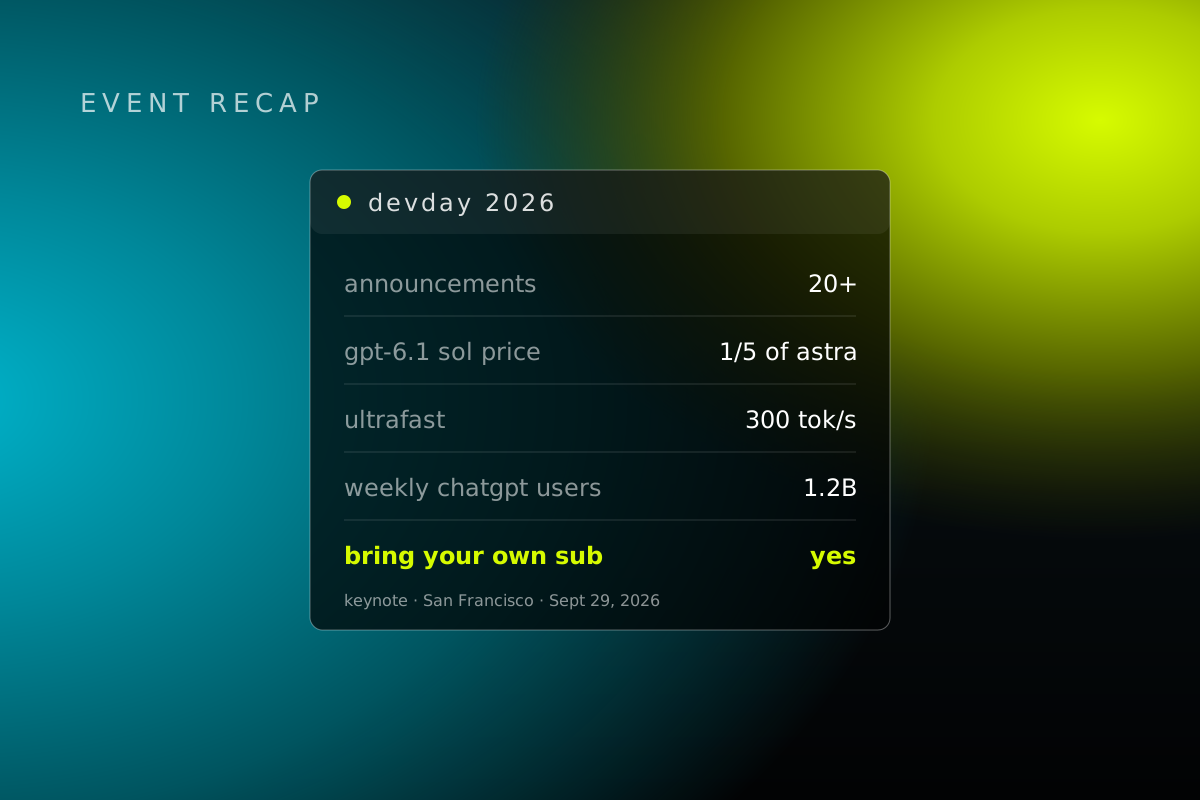
OpenAI held DevDay this morning in San Francisco and shipped more than 20 major announcements. They're calling it their biggest one yet. For once, the marketing isn't exaggerating.
We watched the whole keynote live and kept a transcript, so every quote below is what was actually said on stage. For each announcement you get three things: why it matters, the catch, and where we think it's headed.
If you build apps and only have two minutes, skip to Sign in with ChatGPT in Part 5. That's the one that changes the math for people like us.

The short version
| Announcement | Who gets it | Our take |
|---|---|---|
| Dots | Pro, Business Premium (Enterprise beta) | The headline. An agent that works while you sleep |
| GPT-6.1 Sol | API and every paid ChatGPT plan | Near-Astra brains at a fifth of the price |
| Ultrafast | Pro 500, Enterprise (Astra first) | 300 tokens a second, priced like it |
| Codex in the cloud | Plus and up | You can finally close your laptop |
| Decisions API | Limited preview | Fast pick-one-answer calls |
| Agents API + computer use | Public beta | The engine behind Dots, open to builders |
| Plugin extensions | All plans | Full apps inside ChatGPT |
| ChatGPT Space and Pages | Pro, Business, Enterprise | A shared room for people and agents |
| Sign in with ChatGPT | 16 launch partners | Users bring their own AI budget |
| OpenAI Marketplace | Eligible enterprise customers | Spend your OpenAI contract on partner tools |
Part 1: A whole new way to work with AI
Dots: always-on agents

This was the opener, and it's the one most people will actually feel. A Dot is a personal agent powered by GPT-6 Astra that keeps working toward your goals around the clock. It gets its own computer and browser in the cloud, uses the 4,000+ apps you've already connected, and learns how you like to work.
Dots are remarkably capable, always-on agents built to handle really anything you can think of.
From the DevDay 2026 keynote
"Anything you can think of" is a big promise. The examples on stage were more grounded, and more useful: watch incoming bug reports, test fixes and draft PRs. Move an app off a legacy API before it shuts down. Oh, and the cake vendor for your wedding canceled, so it already found a backup. OpenAI says its own engineers already work this way:
Our engineers have their dots fixing dozens of bugs a day in this way.
From the DevDay 2026 keynote
You'll also be able to text your Dot (that's coming soon) or call it. It's live on Pro and Business Premium in eligible markets. Enterprise, Edu and Healthcare get a beta that an admin has to switch on, and it's off by default. Your Dot comes with your plan, and chatting with it doesn't count against your usage. Work it runs in Codex or ChatGPT Work does. Enterprise customers also get a preview of Specialist Dots, company-wide teammates for things like accounting, marketing and legal, with Microsoft Agent 365 support on the way.
- Why it matters: AI stops waiting for you to ask. For a small team, this is the closest thing to a chief of staff you didn't have to hire.
- The catch: It's not in every region at launch (the EEA, Switzerland and the UK are left out on some plans). It's early, and anything sensitive still depends on permissions and your approval. You get one Dot for now. The team of Dots comes later.
- Where it's headed: Within 12 to 18 months, we expect Dots to be how power users work with ChatGPT by default, with teams of them living in your texts, email and Slack.
GPT-6.1 Sol

A big upgrade to GPT-6 Sol, built for agent-style coding, computer use and professional work. The pitch fits in one sentence, and they said it:
It gives you very near Astra-level intelligence at a fifth of the price.From the DevDay 2026 keynote
From the DevDay 2026 keynote
In real numbers: $2 per million input tokens and $10 per million output, against Astra's $10 and $50. Cached input is 10 cents, a 95% discount. That sounds like a footnote until you run a long agent task that re-reads the same context forty times. It's live for everyone on the API and on Plus, Pro, Business, Enterprise and Edu.
- Why it matters: The most practical win of the day if you pay API bills. Serious agent work just got a lot cheaper.
- The catch: It still trails Astra on the hardest tasks. How far behind depends on the job.
- Where it's headed: This becomes the default workhorse for most production agents. OpenAI is competing on price and reliability here, not just on who has the smartest model, which puts it right up against Anthropic's Opus and Sonnet 5.5.
Ultrafast

Fast mode already gave you twice the speed for twice the price. Ultrafast skips a few steps:
UltraFast takes that to 8 times the speed at 6 times the price of Standard, an incredible 300 tokens per second.From the DevDay 2026 keynote
That's up to 8x in Codex and 6x in the API. Astra Ultrafast is out today on Pro 500 and Enterprise, and Sol gets it soon. The demo was two rockets built from the same prompt. The Ultrafast one was taking off while the regular one was still being assembled.
- Why it matters: Live coding and real-time agent loops that used to be too slow to bother with.
- The catch: Six times the price is six times the price. It eats your usage fast, it's only on the top plans, and it's not on Sol yet.
- Where it's headed: Speed becomes a normal thing plans charge for. "Instant" will be expected on the expensive tiers.
Private Intelligence

Zero Data Retention with Private Safety Processing. Safety checks run automatically without OpenAI staff seeing your content, and nothing gets stored on their servers. Private Inference, which adds confidential computing with controls you can verify, is in preview this fall.
- Why it matters: This is the one that gets finance, healthcare and government in the door. Those teams have been sitting out frontier models for exactly this reason.
- The catch: Full Private Inference is still a preview, and getting it means an enterprise sales conversation.
- Where it's headed: This becomes the standard enterprise privacy setup. OpenAI is playing catch-up on the trust story, but it's catching up quickly.
Part 2: New tools for developers in Codex and the API
Codex in the cloud

Run Codex on your laptop, from your phone, or fully in the cloud, with saved environments your team can share. Plus and above.
You don't have to worry about closing your laptop in the middle of a run.
From the DevDay 2026 keynote
If you've ever left a MacBook propped open on the kitchen counter overnight so an agent could finish, this one's for you. It was for us too.
- Why it matters: Long agent runs no longer depend on your laptop staying awake.
- The catch: Team sharing and permissions haven't been tested much in the real world yet.
- Where it's headed: Cloud becomes the default for any serious Codex work.
A refreshed Codex CLI

Voice to start and steer tasks, a new /agents view for tracking several tasks at once, better prompt editing, session resume, worktrees and a cleaner layout. All plans.
- Why it matters: The terminal gets a lot nicer for people who live in it.
- The catch: Voice. We'll get to that.
- Where it's headed: Voice plus multiple agents in the terminal becomes a main way serious developers work.
Code Review in the ChatGPT desktop app

Summaries, diffs, and the option to ask Codex about anything it flags. It can also do a first-pass review of GitHub pull requests and GitLab merge requests while you're away. All plans.
- Why it matters: Code review stops being the thing everyone waits on.
- The catch: It's only as good as the model and the context it gets. A human still signs off.
Codex Security Cloud

Full-repo scans on demand or on a schedule, checks on every commit, duplicate findings merged, and fixes ready for you to review. All of it runs in the cloud with your laptop closed. Pro, Business, Enterprise and Edu.
It continuously finds vulnerabilities and prepares verified fixes for you to review.
From the DevDay 2026 keynote
- Why it matters: Security checks become something that's always running, not a quarterly fire drill.
- The catch: Expect false positives. It doesn't replace a dedicated security tool yet.
Decisions API

Give the Luna model a question and a fixed list of answers, and it picks one in a fraction of a second. It takes text or images. Limited preview for now, with a broad release planned in the coming days.
This works by giving our Luna model a predefined set of options to choose from, like routing a request, classifying [an] image, deciding what agents should do next.
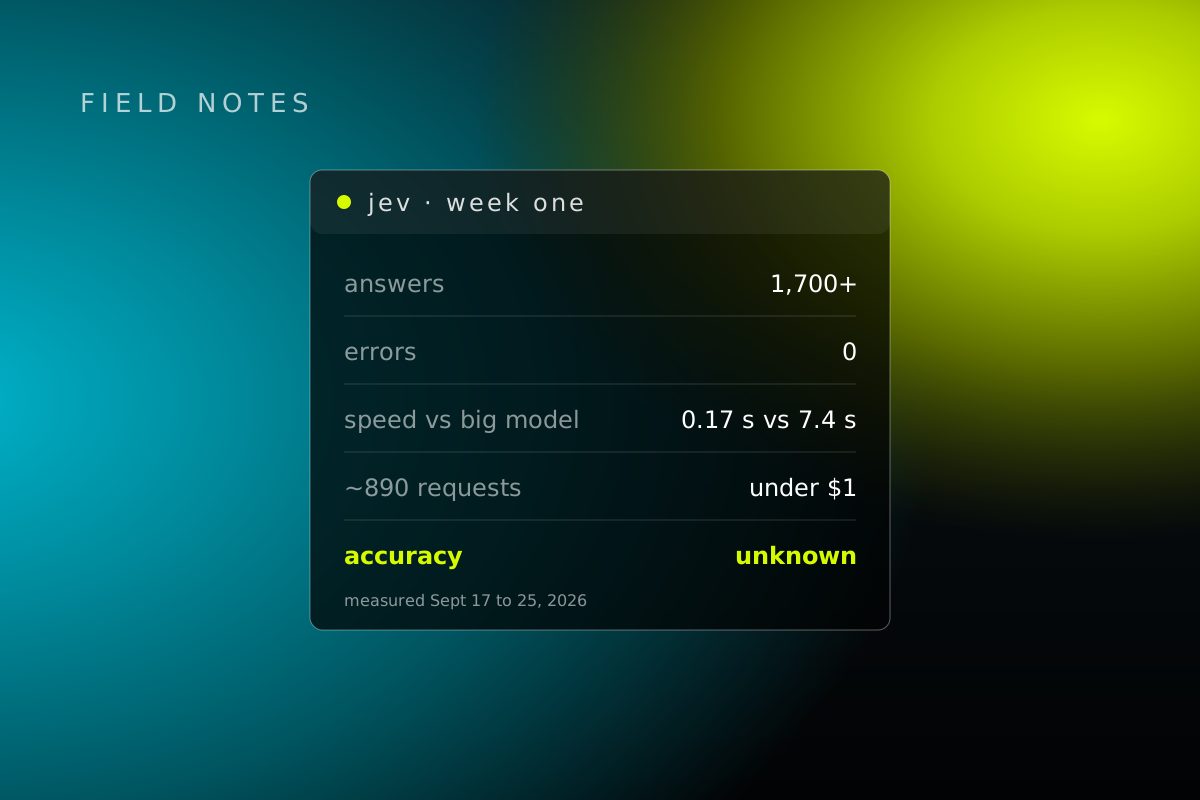
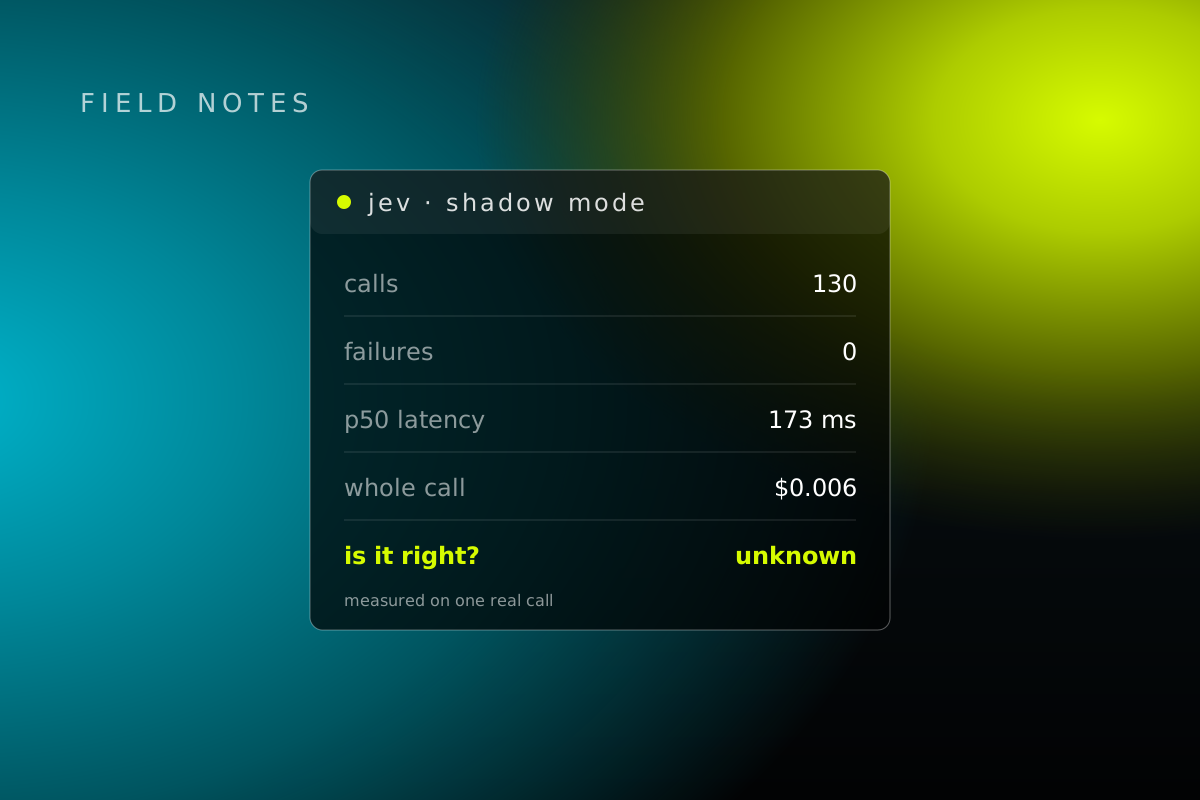
We paid extra attention to this one, because we've spent the last two weeks running a model built for the same job. TypeSafe's Jev does fast, cheap yes/no and pick-one calls, and we wrote up what happened when we put it on real work. Now OpenAI wants that job too. We'll run them side by side and tell you what we find.
- Why it matters: A smart if-this-then-that for routing, sorting and picking an agent's next move. Handling images is a real edge.
- The catch: The answers have to come from a list you set up ahead of time. And it's a preview.
- Where it's headed: Quiet plumbing inside a lot of agent systems. Nobody will talk about it, and a lot of agents will run on it.
Agents API with computer use

The same engine that runs Codex and Dots, now in public beta: the harness, hosting, memory, multi-agent controls, tool search and context compaction. The headline addition is computer use. Your agent can open a browser and click through software on its own.
- Why it matters: Agents go from calling tools to actually using a computer.
- The catch: Long computer-use sessions are still hard to make reliable, safe and affordable at the same time. Pick two, for now.
- Where it's headed: Computer-use agents go mainstream for complex work in the next 12 to 24 months. OpenAI is catching up to Anthropic here, and leaning on scale and hosting to do it.
Bedrock Managed Agents, powered by OpenAI

The core Agents API running natively inside AWS, next to the apps and data you already have there.
- Why it matters: Much less friction for companies that already live on AWS.
- The catch: It's AWS only, which is sort of the point.
One more number from this section: OpenAI said the Responses API grew 100x in the past year while staying above 99% reliability. They've also cut time to first token by 45% and sped up tool calls by more than 30%.
Part 3: More customization in ChatGPT with plugins
Plugin extensions

Plugins can now have a sidebar, interactive panels and their own file viewers inside ChatGPT and Codex. It's the same platform OpenAI uses for its own features. Launch examples included a meetings app, Figma designs you can revise mid-chat, and Photoshop features from Adobe. All plans.
OpenAI was refreshingly honest about how this has gone before:
We have tried versions of this before, admittedly with some mixed results, but I feel good about our approach this time because we are giving you the same tools we use to build ChatGPT ourselves.
From the DevDay 2026 keynote
"Mixed results" is a generous way to put it. Still, giving developers the same tools OpenAI uses internally is a real difference from last time.
- Why it matters: ChatGPT becomes an actual app platform, with a shot at 1.2 billion weekly users.
- The catch: Getting found, keeping quality up and handling permissions all still need work.
Easier plugin building, review and discovery
A Plugin Creator tool, clearer review feedback, a way to ask for a human reviewer, and tool updates without restarting your whole submission. ChatGPT can also suggest your plugin mid-conversation when it would help. Users stay in control of access.
- Why it matters: Easier for developers to ship, easier for users to find the good stuff.
- Where it's headed: Ranking becomes the new app store fight.
Plugins in Sites, and MCP events

Supported plugins can now live inside ChatGPT Sites, and each teammate uses their own connected data and permissions (Business, Enterprise, Healthcare and Edu). Plugins also support the proposed MCP Events spec, so an event like "new task created" can kick off research and a draft plan on its own (all plans).
- Why it matters: Team-specific apps without leaving ChatGPT, and plugins that react to what happens instead of waiting to be asked.
Part 4: How people and AI work together
ChatGPT Space

A shared workspace for you, your teammates and your Dots. OpenAI's diagnosis of the problem was fair:
Almost all productivity software was not built for AI and people to work well together.From the DevDay 2026 keynote
In the demo, someone tagged a Dot in a comment on a page, it turned a table into a live bar chart, and it kept that chart updated every hour. Pro, Business and Enterprise, on desktop and web, with limited mobile for now.
- Why it matters: ChatGPT stops being a pile of separate chats and becomes the place team work actually lives.
- The catch: Creating and editing on mobile is limited, and it's only as organized as your instructions.
Pages and collaborative slides

Pages is a new kind of document that people and agents write in together: research, charts, images and visuals, started from a conversation and shared with your team. Collaborative slides land in the next few weeks, with live editing by people and agents, comments, and export to PowerPoint or Google Slides. Pro, Business and Enterprise.

- Why it matters: Docs and decks that agents can actually read and edit.
- Where it's headed: Straight at Notion and Google Docs for AI-first work.
Teams and shared tasks

Form teams, share pages, slides, plugins and spreadsheets, and hand off recurring or triggered work, like a weekly update or a reply every time a new Slack message comes in. Business and Enterprise.
- Why it matters: A lightweight operating system for the work your team repeats every week.
@ChatGPT in Slack and Microsoft Teams

Mention ChatGPT in a channel, thread or DM. It uses the tools you or your admin have connected, and teammates can work with it without their own license. Business and Enterprise.
- Why it matters: It shows up where people already work. This is a direct answer to Microsoft Copilot in Teams.
Meetings plugin and shareable profiles

The Meetings plugin takes notes and saves your personal summary and action items into your Space. Audio is deleted after processing. It's a Mac desktop beta for Pro and Business, with Enterprise soon. Shareable profiles let people show off the Sites, plugins and skills they've built so others can find and reuse them (Business and Enterprise).
- The catch: Meetings is Mac-only to start, and people will look hard at the audio privacy claims.
Part 5: Do more with your ChatGPT subscription
Sign in with ChatGPT

This is the one we're most excited about.
People can now sign in to your app with their ChatGPT account and use the tokens that come with their own plan. It launches with 16 partners, including Cognition's Devin, Notion, Vercel, T3, OpenClaw and Dactyl. Plus and Pro users can spend their plan's usage in those tools, and they set a limit for each one.
They're already paying for an AI subscription, and now... you don't have to cover their token cost to get them going.
DevDay 2026 Keynote
For builders like us, this is kind of huge. Right now, if you ship an AI app, every new user costs you money in model usage before they've paid you a dollar. So you either keep the free tier tiny, put a paywall up front, or eat the cost and hope. With Sign in with ChatGPT, the user brings their own AI budget. You get to compete on how good your product is, not on how many tokens you can afford to give away. We hope every platform goes this way.
- Why it matters: One of the biggest changes of the day for independent developers and startups. It also doubles as a faster login for plugin connections.
- The catch: Only the first 16 partners for now, and usage still counts against the user's plan.
- Where it's headed: This grows fast and turns into a major distribution and lock-in play. OpenAI wants to be the account you carry into every AI app.
Pro 500, and the $200 Pro plan is back

A new $500 a month plan with 25 times the usage of Plus and Ultrafast access in ChatGPT and Codex, which also works across partner apps through Sign in with ChatGPT. The $200 Pro plan is open to new subscribers again, and now comes with GPT-6.1 Sol as a strong everyday model.
- The catch: $500 a month is $500 a month, and the usage rules are still settling.
OpenAI Marketplace

Enterprise customers can put part of their existing OpenAI spending commitment toward approved partner software. There are 32 launch partners, including CodeRabbit, Notion, Vercel, Figma and ServiceNow, and open-source models are available through a partnership with Baseten.
- Why it matters: Your OpenAI contract turns into a budget for a whole catalog of software. For partners, it's a new way into enterprise deals.
- Where it's headed: A real enterprise sales channel.
And to close the show, one more goodwill gesture: another banked usage reset, for everyone, not just the people in the room. There have been enough of these that someone at OpenAI is apparently campaigning to rename it the Reset Company. Their words, not ours.
The awkward moment
Live demos are hard. Voice froze on stage. Twice.
First, a Dot got stuck on "Still checking" when it was asked about last night's user testing. The diagnosis from the stage:
I think maybe Dottie is having kind of a slow morning.
From the DevDay 2026 keynote
Then the Codex voice demo wouldn't start at all:
We might have some voice difficulties at the moment, which is pretty unfortunate, but it's okay.
From the DevDay 2026 keynote
The presenter switched to typing in the terminal, the demo worked, and everybody moved on. It was handled well. It was also a fair reminder that voice still has reliability gaps, even on the biggest stage OpenAI has. If you're putting voice in front of your own customers, build the typing fallback first.
Where OpenAI is heading
Put it all together and the direction is pretty clear:
- From chatbot to workplace. Space, Pages, slides, plugins that act like apps, team tasks and @ChatGPT in Slack and Teams all turn ChatGPT into somewhere people and agents share documents, workflows and context.
- Always-on agents as the default. Dots are the consumer face. Underneath are long-running agents with permissions and tools that own ongoing work: Codex in the cloud, and the Agents API with computer use.
- Platform and distribution. The plugin platform, Sign in with ChatGPT and the Marketplace all push the same way: make ChatGPT where developers ship and the account users carry everywhere. 1.2 billion weekly users is the moat.
- Price and speed as weapons. GPT-6.1 Sol and Ultrafast show OpenAI will fight on cost and speed, not just on who has the smartest model.
- Enterprise trust and multi-cloud. Private Intelligence and Bedrock Managed Agents go straight at the two biggest reasons big companies say no.
What's still unsolved:
- Long-running agents aren't reliable and safe at scale yet. The frozen voice demo was a small, very public example.
- A lot of this rolls out in stages and isn't available everywhere.
- On the hardest tasks, competitors like Anthropic are still often seen as ahead.
- Much of the collaboration and agent work is early or still rolling out.
- The fastest, most capable options cost real money.
Our read: OpenAI isn't betting that the smartest single model wins. It's betting on being the most useful place to work with AI: always on, shared with your team, open to developers, and backed by huge distribution and better prices. This DevDay was less about one breakthrough model and more about turning ChatGPT into infrastructure.
The keynote ended on the same idea:
I believe that the future, if we get this right, can be much more like a new Renaissance than a new Industrial Revolution.
From the DevDay 2026 keynote
For builders, the signal that matters most is still Sign in with ChatGPT. When users bring their own subscription, a small team can ship an AI product without paying for everyone's usage. That's what we'll be building around.
Sources: the DevDay 2026 keynote (From our Internal transcript) and OpenAI's own DevDay 2026 recap, Dots and GPT-6.1 Sol announcements. All product images are OpenAI's.
Want this run for your business?
Most partners start with The Growth Hour.
Want this run for your business?
Most partners start with The Growth Hour.