AI Systems
The AI Design-to-Code Framework: From Screenshot to Shipped UI
 7 min read
A picture is worth a thousand words. A mockup is worth a thousand lines of code once you know how to bridge real visual references, model routing, and a feedback loop that closes itself.
Do these three things and you land in the elite 1% of AI interface designers.
Tier 1: Reverse-engineer the visual system before you touch a prompt
How do you start an elite design without staring at a blank canvas and burning through your token budget? You don't guess. You reverse-engineer the best visual patterns that already exist, then isolate your workspace so none of that reference material drains your context on its own.
Mobbin is where you start. It's a searchable library of real, shipped mobile and web app UI, not mockups, actual screenshots pulled from live apps, over 400,000 of them by Mobbin's own count, organized by app, by multi-step flow (onboarding, checkout, paywall), and by individual screen or UI element. Browsing is free; unlimited access to save and export references sits behind a paid tier starting around $10 a month. In practice: search a flow you're chasing ("fitness app onboarding," "SaaS pricing page"), open a screen that nails the interaction you want, and either screenshot it or pull it straight through Mobbin's own tools.
Here's a real screen pulled that way, WHOOP's onboarding, one card in a longer flow:

CodePen covers the part a static screenshot can't: motion. When it's a hover state, a micro-animation, or a specific transition you want copied, CodePen is where the front-end community shares the actual runnable code behind it, so you pull the real CSS and JS instead of describing an animation in English and hoping the model interprets it the way you saw it.
Once you've got the references, document what you pulled in a local claude.md file before any code gets written. Treat it as your project's constitution: a strict, plain-text design system pinned in front of the model at all times. That's what stops "context rot" before it starts, the point deep into a long session where token usage climbs and the model quietly reverts to generic, templated defaults because nothing is actively steering it anymore.
Copy-paste visual extraction prompt:
Analyze this screenshot. Extract its visual DNA on 5 dimensions: typography
scales, color tokens, layout hierarchy, whitespace density, and interactive
micro-animations. Document this in a local design.md file to serve as our
project blueprint.
Tier 2: Treat your models like the Avengers
Ready to turn those rules into functional code without weeks of custom component work? This is where 21st.dev comes in: a marketplace of over 12,000 Tailwind CSS components, blocks, and full templates built by the community, each with a live interactive preview so you can see exactly what you're getting before you touch a line of it.
Grab a component with the shadcn CLI, pointed at the component's 21st.dev URL:
npx shadcn@latest add "https://21st.dev/r/shadcn/accordion"
That pulls the component's files and dependencies straight into your project and wires them into your existing Tailwind config. No login required for public components. Here's the actual marketplace and a component detail page carrying that install command:
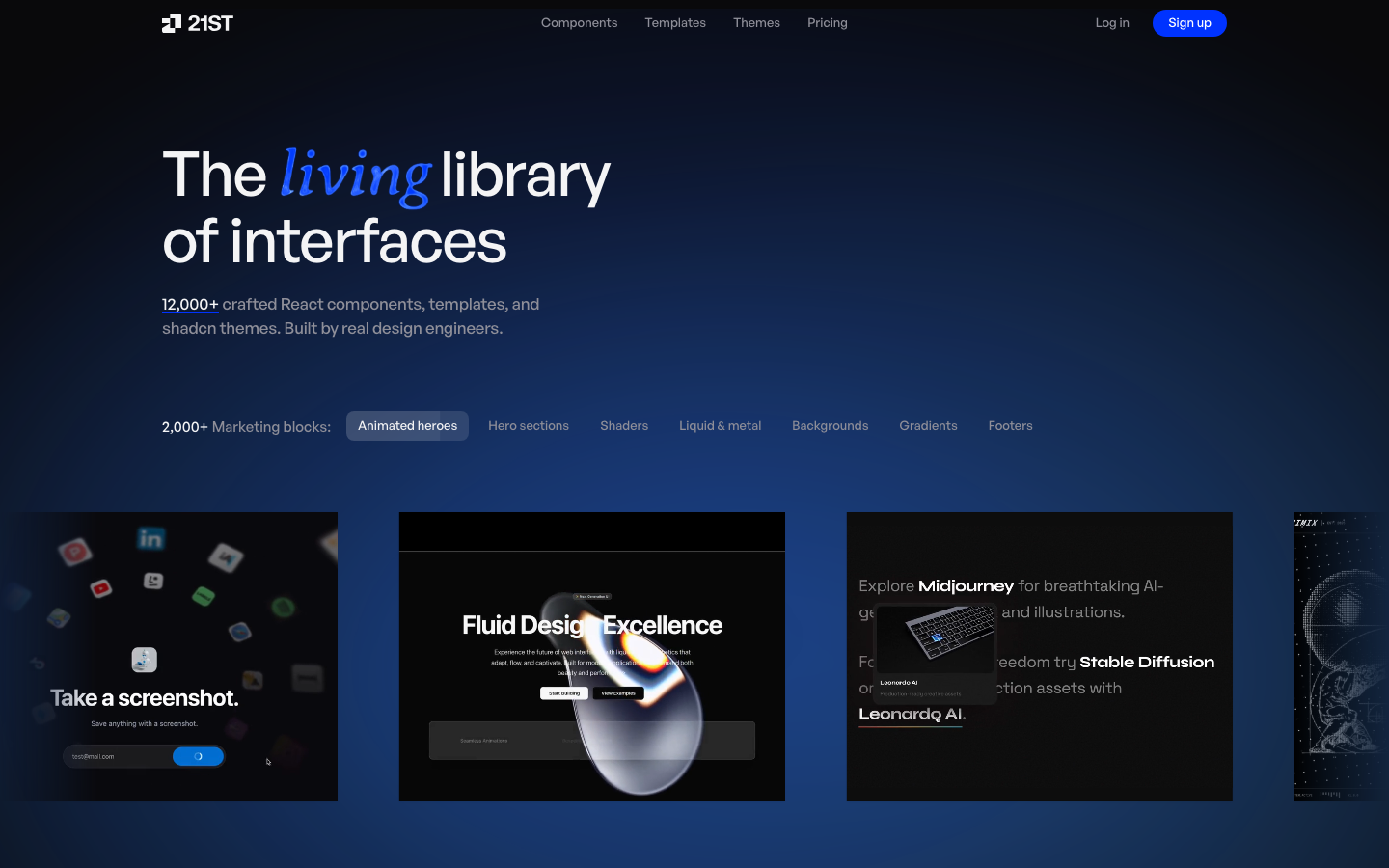
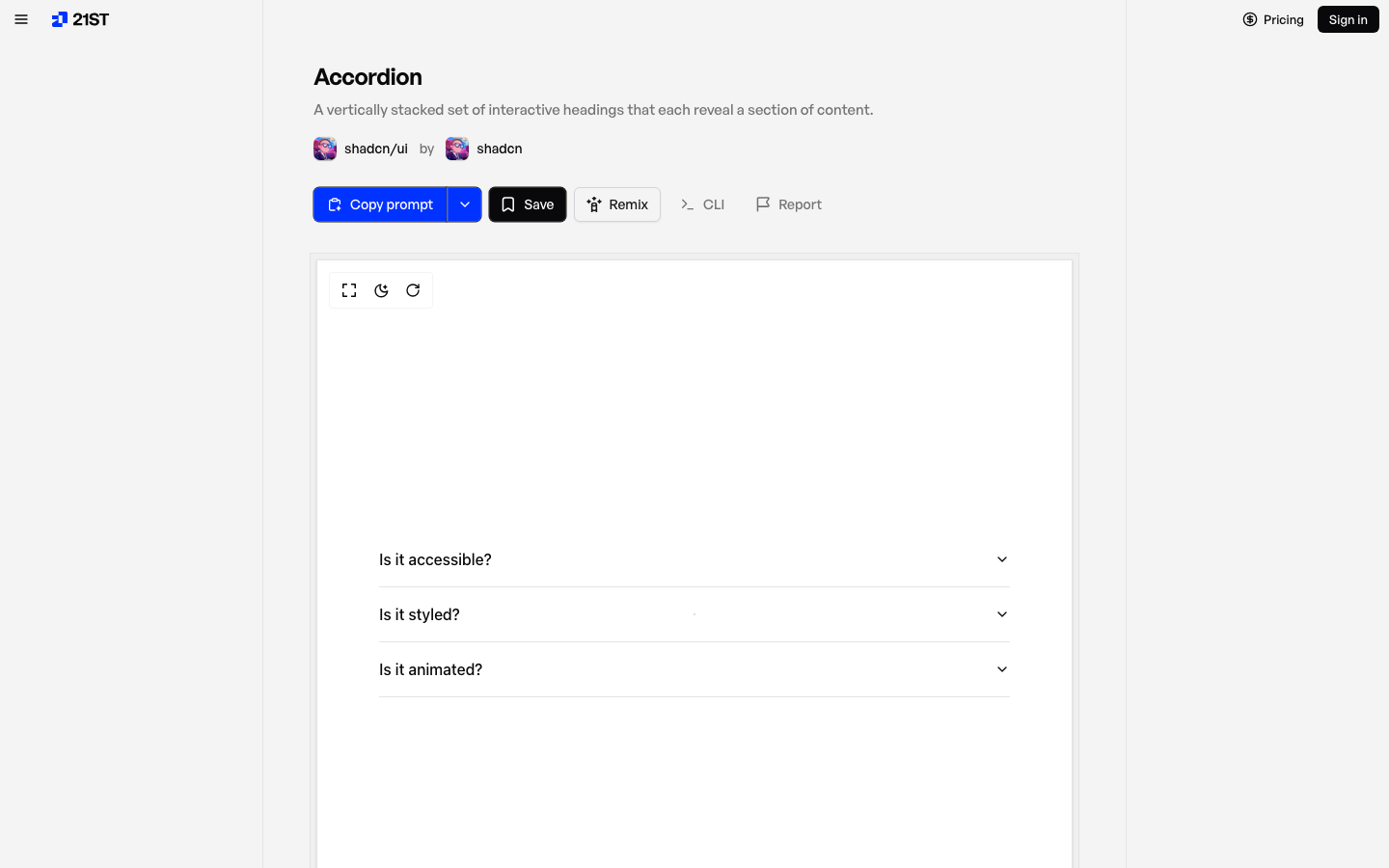
This is also where you stop treating every model like the same tool and start treating them like the Avengers: route visual UI decisions to Claude, since layout judgment and taste are exactly what it's strongest at, and hand bulk backend logic to a cheaper model built for volume work. Same quality where it counts, a fraction of the token spend where it doesn't.
If you want Claude generating and inserting 21st.dev components directly from a natural-language request instead of copy-pasting CLI commands, connect their MCP server. Grab an API key at 21st.dev/mcp, then add this to your MCP client config:
{
  "mcpServers": {
    "21st": {
      "url": "https://21st.dev/api/mcp",
      "headers": { "x-api-key": "YOUR_21ST_API_KEY" }
    }
  }
}
Restart your client and Claude can search the library, generate a component from a description, and drop it into your project without leaving the conversation.
Nothing here is high-stakes enough to slow down for. An incompatible component costs you ten seconds of terminal time to delete, but the upside is snapping gorgeous, functional UI into place while keeping your build budget close to zero.
Tier 3: Close the loop with an MCP critic
Once your design system is locked and your components are in place, connect a design tool's MCP server, Figma MCP for an existing file, Google Stitch MCP if you're generating from a spec, directly to Claude's configuration and run what we call the Gauntlet Loop.
MCP (Model Context Protocol) is what makes this possible: it lets Claude read a live design file the same way it reads a local one, instead of you exporting screenshots and pasting them in by hand every time something changes.
The move that actually makes this tier work: spin up a second, fresh-context "critic" agent whose only job is to cross-examine the first agent's layout. It shares no memory with the agent that built the UI, so it isn't defending its own decisions, it's grading a result cold. Claude then auto-heals its own code against that feedback, right in the terminal, until the layout passes.
Gauntlet Loop MCP config:
{
  "mcpServers": {
    "stitch": {
      "command": "npx",
      "args": ["-y", "@google/stitch-mcp"],
      "env": {
        "STITCH_API_KEY": "YOUR_KEY"
      }
    }
  }
}
This highest tier of integration is what forces you to care about pixel-perfect alignment, multi-page routing, and the kind of database-connected dashboard polish that clients gladly pay five figures for.
The loop, not the tool
Inspect the reference. Inject it into your system prompt. Orchestrate the build across the right models. Then hand it to a critic and start over.
That loop, not any single tool in it, is what turns an average vibe-coder into an elite AI interface designer. We already broke down the specific skills that plug into it in the best Claude Code skills for frontend and UI design. Both live in the same skills library if you want to install them directly.
Want this run for your business?
Most partners start with The Growth Hour.